Why Your Business Website Is Not Generating Leads
A website that gets visitors but no enquiries usually has a specific, fixable problem. Here's how to diagnose why yours isn't converting.

A website that attracts visitors but produces few or no enquiries is one of the most frustrating situations for a business owner, because it feels like the investment isn't paying off, without an obvious reason why. In most cases, though, the cause is identifiable and fixable once you know where to look.
First, separate a traffic problem from a conversion problem
Before diagnosing design issues, check whether people are actually reaching your site. If your traffic numbers are very low, the core issue may be visibility — perhaps your site isn't appearing in relevant searches at all, which is covered in why your website isn't showing on Google. If you do have reasonable traffic but it isn't turning into enquiries, the problem is more likely with the website experience itself once people arrive.
Common reasons visitors don't become leads
Unclear messaging
If a visitor can't quickly understand what you offer and why they should choose you, they leave. Vague headlines, industry jargon, or a homepage that talks about the company instead of the customer's problem all contribute to this.
Hard-to-find contact information
Surprisingly often, a potential customer simply can't find how to get in touch quickly. Phone numbers, contact forms, and booking links should be visible without searching, not buried in a footer or behind multiple clicks.
No clear next step
Every page should guide the visitor toward one obvious action. A page full of information but with no clear "what do I do now" leaves even interested visitors unsure how to proceed.
Mobile usability issues
Given how much local traffic comes from phones, a site that's awkward to use on mobile loses leads before they even reach your contact details. This is explored further in mobile friendly website design.
Slow loading times
Visitors abandon slow pages quickly, especially on mobile data. If your site takes too long to load, you may be losing leads before anyone even sees your offer — see how to speed up your website for specific fixes.
Lack of trust signals
Business details that look incomplete, outdated, or inconsistent make visitors hesitant, especially for higher-trust decisions like healthcare or home services. Real photos, clear contact information, and consistent branding all help.
Mismatched expectations
If an ad, search result, or social post promises one thing and the landing page delivers something else, visitors leave immediately, feeling misled even unintentionally.
A simple way to diagnose your own site
Try looking at your website as a first-time visitor would, ideally with someone unfamiliar with your business sitting with you. Ask them to find your services, your pricing approach, and how to contact you. Wherever they hesitate or get confused is very likely the same place real visitors are dropping off.
Fixing the problem
Many lead generation problems don't require a full rebuild — sometimes rewriting a homepage headline, simplifying a contact form, or making your phone number more visible makes a measurable difference. These targeted changes are covered in more depth in how to improve your website's conversion rate.
Other times, the underlying structure or design is dated enough that patching individual elements won't be enough, and a full website redesign is the more effective path forward.
Getting a clear diagnosis
Because the causes vary so much from business to business, a site-specific review is more useful than general advice alone. ForYourWeb's web design service includes an assessment of exactly where visitors are likely losing interest on your particular site, so improvements target the actual problem rather than guesswork.
A structured way to diagnose the problem
Work through these questions in order:
- Is traffic actually reaching the site in reasonable volume, according to your analytics
- If traffic is low, is the issue visibility, meaning the site isn't appearing in relevant searches
- If traffic is reasonable but leads are low, where do visitors seem to drop off, based on page views or time on page
- Can a first-time visitor find your services, pricing approach, and contact details within a few seconds
- Does the site work smoothly on a phone, where most local searches originate
Answering these in order usually narrows the problem down considerably before you start making changes.
Example: the same traffic, two different outcomes
Two similar businesses might receive a similar number of monthly visitors from search. One has a homepage that immediately explains its service and a visible phone number in the header, and converts a healthy share of that traffic into calls. The other buries its services under a large image slider and lists its phone number only on a separate, hard-to-find contact page. Both get found by the same searches, but only one turns that visibility into actual enquiries.
A checklist for a first-time-visitor test
Ask someone unfamiliar with your business to use your site while you watch silently, and note:
- Where they hesitate or scroll back and forth looking for something
- Whether they can state what you offer after only seeing the homepage
- Whether they find your phone number or contact form without help
- Whether they understand what happens after they submit a form or make a call
Common mistakes when trying to fix a lead problem
- Jumping straight to a full redesign before identifying the specific point where visitors lose interest
- Assuming more advertising spend will fix a conversion problem on the site itself
- Changing several things at once, making it hard to know what actually helped
- Ignoring mobile behavior because the site "looks fine" on a desktop computer during review
Taking the time to properly diagnose where visitors are lost, rather than guessing, usually leads to a smaller, more targeted, and more effective fix.
Keep a record of what you change
As you make fixes, note what you changed and when, even informally. If enquiries pick up afterward, you'll know what worked and can apply the same thinking elsewhere on the site. If nothing changes, you can rule that fix out and move on to the next likely cause, rather than guessing repeatedly without learning from each attempt.
Frequently asked questions
Does having no leads mean my website has no traffic?
Not necessarily. Many businesses have reasonable traffic but still get few leads, which usually points to a usability or trust issue on the site itself rather than a visibility problem.
How do I know if the problem is traffic or conversion?
Check your analytics. If visitor numbers are low, the issue is likely visibility and SEO. If visitors are steady but enquiries are rare, the issue is more likely on the page itself.
Can an old website still generate leads?
It can, but outdated design, slow loading, or unclear information increasingly hurt performance as visitor expectations and competitor sites improve over time.
Should I redesign my whole website to fix lead generation?
Not always. Sometimes targeted changes to specific pages and calls to action solve the problem. A full redesign makes more sense when the underlying structure or design is fundamentally outdated.
Related articles
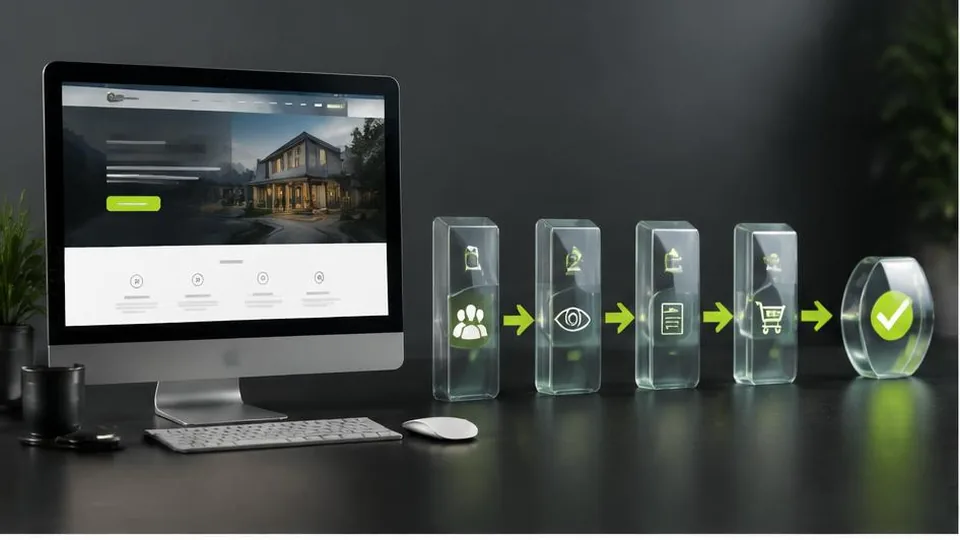
How to Improve Your Website's Conversion Rate
Traffic alone doesn't grow a business — conversions do. Here's a practical breakdown of how to improve your website's conversion rate.
October 10, 2026
10 Website Design Mistakes That Lose Customers
Small design mistakes can quietly cost a business real customers. Here are ten of the most common issues and how to fix each one.
October 10, 2026
Website SEO Checklist: How to Optimize Your Business Website
This website SEO checklist breaks optimization into on-page, technical, and local factors so you can work through it systematically.
October 10, 2026