Website Redesign: When and Why Your Business Needs It
A website redesign is more than a new look — it's a chance to fix what's quietly costing you customers. Here's how to know it's time.
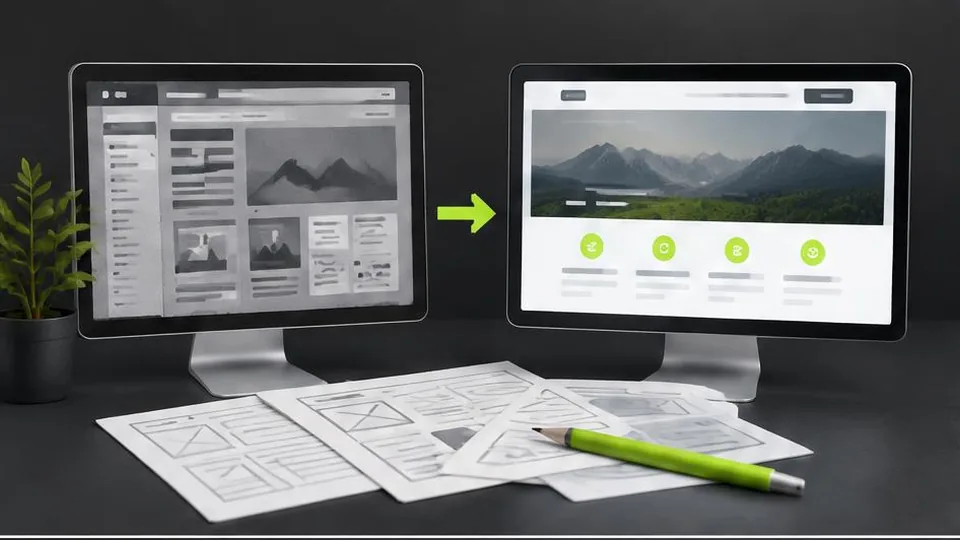
Your business needs a website redesign when the current site is actively working against you — confusing visitors, loading slowly, looking outdated on phones, or failing to turn traffic into leads. If people land on your site and leave within seconds, or if you're embarrassed to share your own link, that's your answer.
A redesign isn't about chasing trends. It's about removing friction between a visitor and the decision to contact you, book you, or buy from you. Many business owners wait too long because the site "still works" in a technical sense, even though it's quietly losing them customers every single day.
Signs it's time for a redesign
- The site doesn't display properly on mobile devices, where most visitors now arrive.
- Pages load slowly, and visitors bounce before content even appears.
- The design looks dated compared to competitors in your industry.
- You've rebranded, changed your logo, or shifted your services, and the site no longer reflects who you are.
- There's no clear path for a visitor to contact you, book an appointment, or make a purchase.
- You can't easily update text, images, or prices without calling a developer for every small change.
- Analytics show high traffic but very few inquiries or conversions.
Any one of these on its own might be manageable. Several together usually mean the whole structure needs rethinking, not just a coat of paint.
What a redesign actually changes
A good redesign touches more than visuals. It typically reworks:
- Navigation and structure — making sure visitors find what they need in two or three clicks.
- Content hierarchy — leading with what matters most to your customer, not what's easiest to write about.
- Mobile experience — since most local searches and bookings now happen on phones.
- Calls to action — clear buttons and forms that guide visitors toward contacting you.
- Loading speed and technical health — compressed images, cleaner code, and modern hosting.
See our business website pages guide for what a well-structured site should include after a redesign.
Redesign vs. starting from scratch
Not every outdated site needs to be rebuilt from zero. If your brand, content, and customer base are solid but the execution is weak, a redesign can reuse what's working — your existing copy, images, and SEO equity — while rebuilding the parts that are failing. This is usually faster and more affordable than starting over, and it's one reason working with an experienced website redesign partner matters: they can tell the difference between what to keep and what to rebuild.
If, on the other hand, your business has changed direction entirely, or the current site was built on an outdated platform that can't support what you need now, a full rebuild through web design services may genuinely be the better investment.
Protecting your SEO during a redesign
One of the biggest risks in a redesign is losing search visibility you've already earned. This happens when:
- URLs change without proper redirects from old pages to new ones.
- Content is deleted rather than improved or merged.
- Page titles and meta descriptions are rewritten carelessly, losing targeted keywords.
- Site speed gets worse instead of better after launch.
A careful redesign plan maps every existing page to its new location, sets up redirects, and checks rankings before and after launch. This is a technical step that's easy to overlook if you're managing the project yourself, which is one reason many businesses choose to hire a website developer experienced specifically in redesign work rather than new builds.
How to plan a redesign without disrupting your business
- Audit what you have. List every page, note what performs well, and flag what's broken, outdated, or missing.
- Define goals for the new site. More leads, faster load times, easier self-editing, better mobile experience — be specific.
- Keep your brand consistent, or update it deliberately. If your logo or visual identity needs work too, it's worth coordinating with logo design and brand book services so the new site and brand match.
- Plan content before design. Decide what each page needs to say before deciding how it should look.
- Test before launch. Check every link, form, and page on both desktop and mobile before the new site goes live.
- Monitor after launch. Watch traffic, rankings, and conversions for the first few weeks to catch any issues early.
A practical redesign checklist
- List every existing page and note which ones perform well versus which ones underperform
- Confirm a redirect plan exists for every URL that will change
- Check that the new design works cleanly on mobile before launch, not just desktop
- Review page titles and descriptions so SEO value isn't lost in the rewrite
- Test every form, button, and link across both desktop and mobile before going live
- Set a plan for monitoring traffic and rankings in the weeks right after launch
Common mistakes businesses make during a redesign
- Redesigning without a clear goal, resulting in a site that looks different but performs the same or worse.
- Deleting pages instead of merging or improving them, which can quietly erase search rankings built up over years.
- Changing URLs without setting up redirects, breaking links from other websites, search results, and bookmarks.
- Rewriting all the copy at once without a review process, leading to rushed content that reads worse than the original.
- Launching without testing on real mobile devices, only to discover broken layouts after customers start reporting problems.
A short example: a redesign done carefully
A business reviewing its outdated site finds that one older blog post still brings in steady traffic, even though the design looks dated. Rather than deleting it during the redesign, the page is kept, its content refreshed, and its URL preserved with the new design applied around it. The result keeps the search ranking that page had already earned while improving the experience for new visitors — a far better outcome than discarding it simply because it didn't fit the new site's aesthetic.
Questions to ask before starting a redesign
- What specifically isn't working about the current site — is it visuals, functionality, content, or all three?
- Which existing pages get meaningful traffic, and how will they be preserved or improved?
- Do we have a plan for redirects before any URLs change?
- Who will be responsible for reviewing new content before it goes live?
- How will we measure whether the redesign actually improved results after launch?
A note on cost
Redesign costs vary enormously depending on how much of the site changes, how much content needs rewriting, and whether new features like booking or e-commerce are added. Rather than guessing at a number, it's more useful to think about which of the factors above apply to your business. Every project is unique, and the only way to get an accurate figure is through a personalised quote after a short consultation — you can contact us to start that conversation or browse our work to see examples of completed redesigns.
A redesign done well doesn't just look better — it removes the small frictions that quietly cost businesses customers every day, and it gives you a site you're proud to send people to.
Frequently asked questions
How often should a business redesign its website?
Most businesses benefit from a meaningful redesign every three to five years, though smaller updates should happen continuously as content, branding, or offerings change.
Will a redesign hurt my search engine rankings?
A planned redesign that preserves URLs, redirects old pages correctly, and keeps content quality high should not hurt rankings, and often improves them over time.
Do I need to redesign the whole site or just parts of it?
Not always. Sometimes a partial redesign — new homepage, updated navigation, or a refreshed service page — solves the problem without a full rebuild.
Can I keep my current content during a redesign?
Yes, strong existing content can usually be migrated and improved rather than rewritten from scratch, saving time and preserving what already works.
Related articles
What Pages Should Every Business Website Have?
Every business website needs a core set of pages to build trust and guide visitors to act. Here's the checklist and why each page earns its place.
October 10, 2026
Affordable Website Design: What Small Businesses Should Know
Affordable doesn't have to mean cheap or risky. Here's how small businesses can get real value from a website without overspending or underbuilding.
October 10, 2026
How to Hire a Website Developer for Your Business
Hiring the wrong developer costs more than money — it costs time, momentum, and trust in your own project. Here's how to choose well.
October 10, 2026