Affordable Website Design: What Small Businesses Should Know
Affordable doesn't have to mean cheap or risky. Here's how small businesses can get real value from a website without overspending or underbuilding.
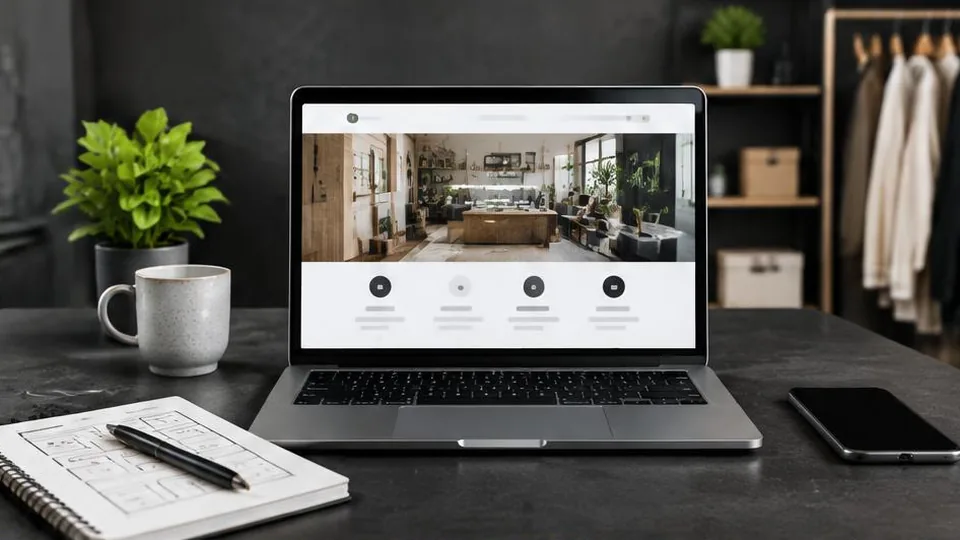
Affordable website design means getting a site that genuinely represents your business and generates results, without paying for features you don't need or cutting corners that cost you more later. It is not the same as choosing the cheapest possible option.
Small business owners often approach a website the way they'd approach any other purchase: find the lowest price. But a website isn't a one-time purchase — it's a tool that either brings in customers or doesn't, every single day. The real question isn't "what's the cheapest site I can get," it's "what's the most value I can get for a reasonable budget."
Where businesses waste money
- Too many pages. Paying for ten pages when five would do the job just adds cost and dilutes your message.
- Unnecessary features. A booking system, live chat, or multi-language setup might sound useful, but if your customers don't need it, it's wasted budget.
- DIY platforms that outgrow their limits. Free or cheap website builders can work at first, then require a costly rebuild once your business grows past their templates.
- Repeated redos. Skipping planning and jumping straight to design often means paying twice — once for the wrong site, and again to fix it.
- Ignoring mobile and speed. A beautiful site that loads slowly or breaks on phones drives customers away regardless of how little it cost to build.
Where it's worth spending more
- Clear structure and content. A well-organized site with the right business website pages converts far better than a flashy one with no clear path to contact you.
- Mobile responsiveness. Since most visitors browse from their phones, a site that works flawlessly on mobile is not optional.
- Basic SEO setup. Proper titles, descriptions, and page structure from day one save money later compared to retrofitting SEO onto a poorly built site.
- Reliable hosting and domain setup. Cutting corners here can mean downtime, lost email, or security issues down the line — our domain & digital setup service exists specifically to get this right from the start.
How to get real value on a limited budget
- Start with a one-page or small multi-page site if your business is simple, and expand later. See our comparison of one-page vs. multi-page websites to decide which fits you now.
- Prioritize the pages that drive decisions — home, services, contact, and a simple about page — before adding extras like blogs or galleries.
- Use your existing content wisely. Good photos, clear service descriptions, and real contact details cost nothing extra if you already have them ready.
- Choose a partner who scopes the project to your needs, not a fixed package that includes things you'll never use. A web design service that starts with a conversation about your goals will naturally avoid overbuilding.
- Plan for growth, not just launch. A site built with a sensible structure can be expanded later without a full rebuild, which is cheaper in the long run than starting over.
DIY builders vs. working with a designer
Website builders can be a reasonable starting point for a very small, simple business with no growth plans. But many owners find that the time spent learning the platform, picking a template, writing copy, and fixing formatting issues adds up to real cost — just paid in hours instead of money. A designer who already knows how to avoid common pitfalls can often deliver a more polished result faster, which matters if your time is better spent running your business.
If you're still deciding between these paths, it helps to understand how to hire a website developer the right way, so you know what to ask for and what a fair process looks like regardless of budget.
A practical checklist before you start
Before requesting quotes or picking a platform, answer these questions honestly:
- What does my business actually need visitors to do — call, book, buy, or visit?
- Which three pages matter most to that goal?
- Do I already have photos, logos, and written descriptions, or will these need to be created?
- Am I planning to grow this business in the next year or two?
- How much time can I realistically spend managing a website myself?
Clear answers here prevent the most common source of wasted budget: building something and then realizing halfway through that it doesn't match what you actually needed.
Common mistakes that inflate the "affordable" budget
- Choosing a platform based on price alone, without checking whether it can handle bookings, payments, or a growing catalog later.
- Writing content last minute, which often leads to rushed, generic copy that undersells the business.
- Skipping a sitemap or plan, leading to pages added in a disorganized order that confuses visitors.
- Treating the website as "done forever" after launch, instead of budgeting small amounts of time or money for updates.
- Comparing quotes without comparing scope. A lower number often means fewer pages, no content writing, or no post-launch support — not necessarily better value.
Questions to ask any designer or platform before committing
- Exactly what is included in this price or package — pages, content writing, revisions, launch support?
- What happens if I need an extra page or feature later — is it a simple add-on or a bigger rebuild?
- Who owns the website and domain once it's built?
- How will the site be kept secure and updated over time?
- Can I see examples of similarly sized projects you've completed?
Asking these upfront avoids the classic trap where an "affordable" quote turns into a string of unexpected add-on costs.
On pricing
Every business has different needs, so there's no single "affordable" price that applies to everyone. The real cost depends on how many pages you need, what features matter to your customers, whether content needs to be written for you, and how much ongoing support you expect. Rather than quoting generic numbers, the fairest approach is a short consultation where your specific goals are discussed and a personalised quote is prepared. You can contact us to start that conversation, or look at our work to see what's possible at different scales.
Affordable website design isn't about spending the least — it's about spending wisely on the things that actually move your business forward.
Frequently asked questions
Is a cheap website the same as an affordable one?
No. Cheap usually means low upfront cost with hidden long-term costs, like poor performance or needing a rebuild soon. Affordable means fair value for a site that actually works for your business.
Can a small business get a professional website without a huge budget?
Yes, by focusing the budget on the pages and features that drive results and avoiding unnecessary extras, a small business can get a genuinely professional site at a reasonable cost.
Should I build my own website to save money?
DIY builders can work for very simple needs, but they often cost more time than they save and can limit growth later. Weigh your time and goals before deciding.
What's the biggest money-waster in website design?
Adding features and pages you don't need, or redoing work because the first version wasn't planned properly, both waste more money than paying fairly for a focused site from the start.
Related articles
Website Redesign: When and Why Your Business Needs It
A website redesign is more than a new look — it's a chance to fix what's quietly costing you customers. Here's how to know it's time.
October 10, 2026
What Pages Should Every Business Website Have?
Every business website needs a core set of pages to build trust and guide visitors to act. Here's the checklist and why each page earns its place.
October 10, 2026
How to Hire a Website Developer for Your Business
Hiring the wrong developer costs more than money — it costs time, momentum, and trust in your own project. Here's how to choose well.
October 10, 2026