How Much Does a Shopify Website Cost?
Shopify pricing isn't just the monthly plan — theme, apps, payment fees, and design work all add up. Here's what actually drives the final cost.
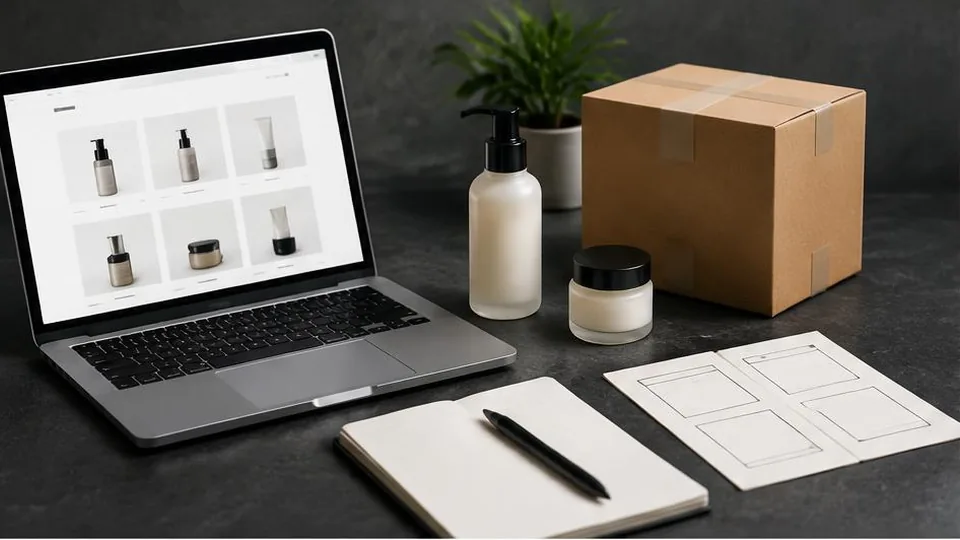
Shopify website cost depends on several moving parts working together: the subscription plan you choose, the theme, the apps you install, payment processing fees, and any custom design or development work. There is no single fixed number — the total reflects how much customization and functionality your store actually needs.
The Shopify Subscription Plan
Shopify offers tiered plans, each unlocking different features such as additional staff accounts, lower payment processing rates, or advanced reporting. Choosing the right tier depends on your sales volume and how complex your catalog is. A small boutique with a handful of products has very different needs than a growing brand managing hundreds of SKUs across multiple locations.
It's worth reviewing Shopify's official pricing page directly, since plans and features are updated periodically. The key is matching the plan to your current stage of business rather than overpaying for features you won't use yet.
Theme Selection and Design Work
Shopify's theme store includes free and paid themes that give you a working storefront out of the box. For many small businesses, a well-chosen theme with some customization is enough to launch. However, if you want a storefront that truly reflects your brand — custom layouts, unique product pages, a distinct checkout feel — that requires design and development work beyond a stock theme.
This is where ecommerce website design decisions matter most. A generic theme might launch faster, but a store built around your brand's visual identity tends to convert better and feel more trustworthy to customers. If your brand identity isn't fully defined yet, pairing store design with logo design and a brand book ensures consistency across your site and marketing materials.
Apps and Extensions
Shopify's app ecosystem covers everything from email marketing and reviews to shipping calculators and loyalty programs. Each app typically carries its own subscription cost, and these add up quickly if you install many at once. Before adding an app, it helps to ask whether the feature is essential now or something you can add once the store proves itself.
Common categories businesses pay for include:
- Email and SMS marketing tools
- Product reviews and user-generated content
- Advanced shipping and inventory management
- Upsell and cross-sell tools
- Customer support widgets
Stacking too many apps can also slow down your site, so it's worth periodically auditing which ones are actually driving sales.
Payment Processing Fees
Every online store pays some form of payment processing fee, whether through Shopify Payments or a third-party gateway. These fees are usually a percentage of each transaction plus a small fixed amount, and they vary depending on the payment method and your region. If you want to accept online payments through multiple gateways — for example, to support local payment preferences — factor in that some combinations cost more than using Shopify's native payment option alone.
Design and Development Work
If you want a store that goes beyond a template — custom product configurators, unique navigation, specific integrations with your inventory or accounting software — that requires dedicated design and development time. This is usually where the biggest cost variation comes from, since custom work is priced around scope and complexity rather than a flat rate.
Many businesses find it helpful to compare Shopify vs a custom ecommerce website before committing, since the right choice depends on how much flexibility you need long-term versus how quickly you want to launch.
Ongoing Costs to Plan For
Beyond the initial build, ongoing costs typically include:
- Monthly subscription fees for the plan and apps
- Payment processing fees on every sale
- Domain renewal (see domain and hosting basics)
- Periodic design updates or seasonal promotions
- Marketing and SEO efforts to drive traffic
Budgeting for these recurring costs alongside the initial setup gives a more realistic picture of what running a Shopify store actually involves.
Common Mistakes That Inflate Shopify Costs
A few patterns show up repeatedly when Shopify budgets run higher than expected:
- Installing apps before testing if they're needed. It's tempting to add every app that promises more sales, but each one is a recurring cost. Start lean and add only once a real gap shows up.
- Choosing a theme that fights your product type. A theme built for fashion rarely suits a store selling furniture or services, and forcing it to work often means paying for custom fixes later.
- Skipping a proper consultation before building. Starting development without a clear scope often leads to rework, which costs more than planning properly upfront.
- Underestimating ongoing costs. Many businesses budget for the build but forget that apps, payment fees, and design updates continue indefinitely.
- Delaying payment gateway decisions. Switching gateways after launch can mean reworking checkout, so it's worth deciding early — our guide on how to build an online store covers this sequencing.
Questions to Ask Before You Start
Before requesting quotes or starting a build, it helps to have clear answers to:
- How many products will you launch with, and how fast do you expect that catalog to grow?
- Do you need integrations with existing accounting, inventory, or shipping systems?
- Will you need ongoing design or marketing support after launch, or just the initial build?
- Is your brand identity (logo, colors, tone) already defined, or does that need to be created alongside the store?
- What payment methods do your customers actually expect to see at checkout?
A Simple Decision Checklist
- Catalog size and product complexity are clearly defined
- A theme or custom design direction has been chosen
- Essential apps are shortlisted, with "nice to have" apps set aside for later
- Payment gateway and currencies are decided
- A realistic budget for ongoing subscriptions and fees is set, not just the launch cost
Getting an Accurate Estimate
Because every store's catalog size, design ambitions, and app needs differ, published price lists rarely reflect what you'll actually pay. The most reliable way to understand your Shopify website cost is to outline your goals — product count, desired features, brand requirements — and get a personalised quote. Every project is unique, and a short consultation is the fastest way to turn your specific requirements into a clear, realistic estimate. You can also browse our ecommerce services or see examples of past work to get a sense of what's possible at different levels of investment.
Frequently asked questions
Is Shopify cheaper than a custom online store?
Shopify usually has a lower starting cost because the platform handles hosting, security, and core features. A custom store can cost more upfront but may offer more control over design and long-term flexibility.
Do I need to pay for a theme?
Not necessarily. Shopify offers free themes, but many businesses choose a paid theme or custom design work to stand out and match their brand.
Are transaction fees avoidable?
If you use Shopify Payments, Shopify does not charge extra transaction fees. Using a third-party payment gateway instead of Shopify Payments usually adds a small fee on top of the gateway's own charges.
How many apps does a typical store need?
It varies widely. Some stores run well with just a few apps for email marketing or reviews, while others add many apps for shipping, loyalty, or inventory, which increases ongoing cost.
Can I start small and upgrade later?
Yes. Many businesses start with a simpler setup and add apps, custom design, or a higher plan as the store grows and sales justify the investment.
Related articles
How Much Does an E-Commerce Website Cost in 2026?
E-commerce website cost depends on far more than which platform you pick. Here are the real factors that determine your final investment.
October 10, 2026
Shopify vs. Custom E-Commerce Website: Which Is Better?
Shopify vs custom website isn't about which is objectively better — it's about which fits your catalog, growth plans, and need for flexibility.
October 10, 2026
Best E-Commerce Platforms for Small Businesses
There's no single best ecommerce platform for every small business — the right choice depends on your catalog size, growth plans, and how much control you need.
October 10, 2026