Best E-Commerce Platforms for Small Businesses
There's no single best ecommerce platform for every small business — the right choice depends on your catalog size, growth plans, and how much control you need.
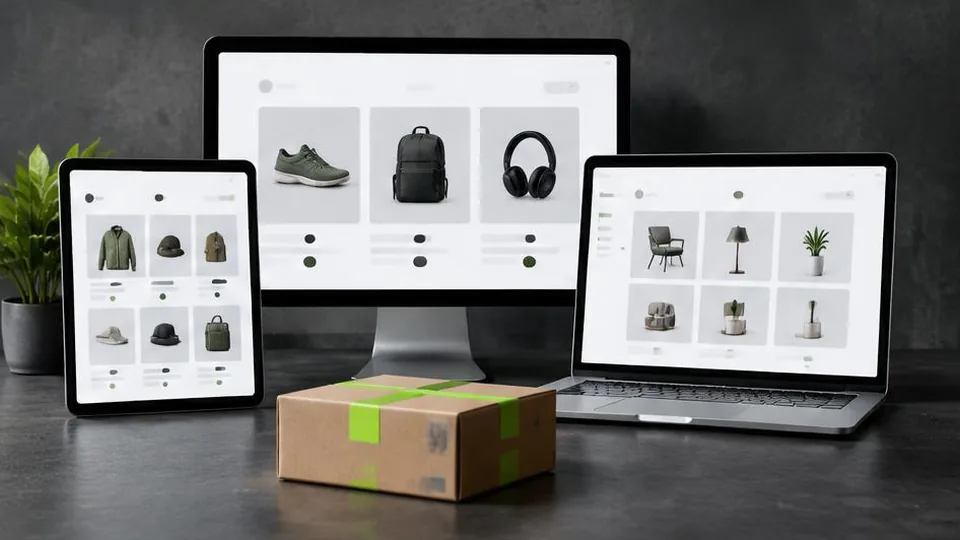
The best ecommerce platform for small business depends on your product catalog, growth ambitions, and how much control you want over design and functionality — there isn't a universal winner. Shopify, WooCommerce, Wix, and custom-built stores each suit different situations, and understanding the trade-offs helps you avoid an expensive switch later.
Shopify: Best for Straightforward Product Sales
Shopify is widely used because it handles hosting, security, and checkout out of the box, letting you focus on products and marketing rather than technical upkeep. It suits businesses selling physical products with a reasonably standard catalog structure — clothing, accessories, home goods, and similar categories.
Its app ecosystem covers most common needs, from email marketing to shipping calculators, though costs can add up as you install more apps. For many first-time store owners, Shopify offers the fastest path from idea to a working, professional storefront. Read more in our guide to Shopify website cost if you're weighing this option.
WooCommerce: Best for Content-Driven or WordPress-Based Businesses
If your business already runs a WordPress site — a blog, a content-rich service site, or a brand with a lot of educational content — adding WooCommerce lets you sell products without leaving that ecosystem. It's highly flexible and backed by a large plugin library, but it requires more hands-on maintenance: you (or your developer) manage hosting, updates, and security directly.
WooCommerce tends to suit businesses that value content marketing alongside ecommerce, since WordPress's publishing tools are more mature than most dedicated store platforms.
Wix and Similar Website Builders: Best for Very Small Catalogs
Website builders with ecommerce add-ons work well for businesses selling a handful of products alongside an otherwise simple website — a service business adding a small retail line, for example. They're approachable for non-technical owners but tend to hit limits quickly if your catalog grows or you need specific integrations.
Custom Ecommerce: Best for Unique Workflows
Some businesses need something no off-the-shelf platform handles well — unusual product configurations, tight integration with existing inventory or booking systems, or a highly distinctive shopping experience. In these cases, a custom-built store, while a bigger investment, avoids the compromises of fitting a unique business into a generic platform. Our article on Shopify vs custom ecommerce breaks this comparison down in more detail.
Comparing the Options
| Platform | Best for | Maintenance |
|---|---|---|
| Shopify | Standard product catalogs, fast launch | Low — platform-managed |
| WooCommerce | Content-rich, WordPress-based brands | Moderate — self-managed |
| Website builders | Very small catalogs, simple needs | Low |
| Custom build | Unique workflows, specific integrations | Varies by design |
Factors Beyond the Platform Itself
Choosing a platform is only part of building a store that actually sells. Regardless of which platform you choose, success also depends on:
- Thoughtful ecommerce website design that guides visitors toward purchase
- Reliable payment gateway setup
- A clear brand identity, supported by logo design and consistent visuals
- Ongoing attention to site speed and SEO
A platform with every feature imaginable won't help if the store itself is confusing or slow to load.
Common Mistakes When Choosing a Platform
- Picking a platform because a competitor uses it, without checking whether your catalog and workflow actually match theirs.
- Overvaluing low starting cost while ignoring the cost of apps, plugins, or developer time needed to make the platform fit your business.
- Underestimating maintenance effort, especially with WooCommerce, which requires ongoing attention to hosting and plugin updates.
- Choosing a platform you'll outgrow within a year, forcing an early, disruptive migration.
- Ignoring how the platform handles mobile shopping, even though a large share of ecommerce traffic now happens on phones.
A Practical Example
Consider two small businesses: one sells a tight range of ten handmade products directly to consumers, while another manages a growing catalog of hundreds of items with frequent inventory changes and a need to sync with a point-of-sale system. The first business may do perfectly well on a simple Shopify setup with minimal apps. The second is more likely to need either a higher Shopify tier with inventory apps, WooCommerce with custom plugins, or a custom build — the "best" platform genuinely differs between these two cases, even though both are small businesses.
Questions to Ask Before Choosing
- How many products do you sell today, and how many do you expect to sell in two years?
- Do you need the store to talk to other systems you already use, like accounting or booking software?
- How much time can you or your team realistically spend on platform maintenance?
- Is a fast launch more important than long-term flexibility, or the other way around?
- Will your content marketing and product pages live on the same platform, or separately?
Checklist for Evaluating a Platform
- Supports your current catalog size without workarounds
- Integrates with payment gateways relevant to your customers
- Has a realistic maintenance plan, whether platform-managed or self-managed
- Allows the design flexibility your brand needs
- Has a sensible migration path if you outgrow it
When to Revisit Your Choice
Even a well-chosen platform can stop fitting as your business changes. Signs it may be time to revisit the decision include consistently hitting app limitations, paying for multiple workarounds that a different platform handles natively, or needing integrations your current setup simply can't support. Reviewing this annually, alongside your overall ecommerce strategy, keeps the platform question from being a one-time decision you never revisit.
Making the Decision
Start by listing what matters most to your business: how many products you'll sell, whether you need tight integration with existing systems, how much hands-on maintenance you're willing to do, and your growth timeline. From there, the right platform usually becomes clear.
If you're still unsure which direction fits your business, a conversation about your specific goals is more useful than comparing feature lists alone. Our team can walk through your catalog, budget, and growth plans in a consultation and recommend the platform that genuinely fits — see our ecommerce services or browse past work for examples.
Frequently asked questions
Is Shopify the best choice for every small business?
No. Shopify is strong for straightforward product catalogs, but businesses needing deep content integration or highly custom workflows sometimes prefer WooCommerce or a custom build.
Can I switch platforms later if I outgrow my first choice?
Yes, but migrating products, customer data, and SEO rankings takes planning. It's easier to choose a platform that can scale with you from the start.
Is WooCommerce harder to manage than Shopify?
WooCommerce requires more hands-on management since it runs on WordPress and needs hosting and plugin maintenance, but it offers more flexibility for content-heavy or highly customized sites.
What about Wix or Squarespace for online stores?
These are approachable for very small catalogs and simple needs, but they offer less flexibility than Shopify or WooCommerce as a store grows.
When does a custom ecommerce build make sense?
When your business has unique workflows, integrations, or design requirements that off-the-shelf platforms can't accommodate well.
Related articles

Shopify vs. Custom E-Commerce Website: Which Is Better?
Shopify vs custom website isn't about which is objectively better — it's about which fits your catalog, growth plans, and need for flexibility.
October 10, 2026
How to Build an Online Store for Your Small Business
Building an online store involves more than picking a platform. Here is the realistic order of decisions that gets a small business store launched right.
October 10, 2026
How Much Does an E-Commerce Website Cost in 2026?
E-commerce website cost depends on far more than which platform you pick. Here are the real factors that determine your final investment.
October 10, 2026