How to Build an Online Store for Your Small Business
Building an online store involves more than picking a platform. Here is the realistic order of decisions that gets a small business store launched right.
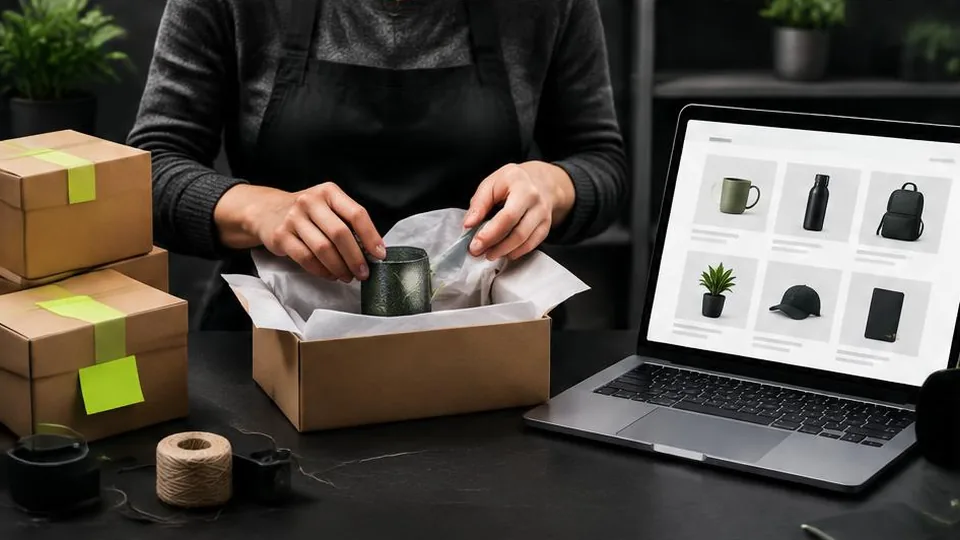
Building an online store is less about picking the right software and more about making a series of decisions in the right order. Businesses that start with the platform first often end up retrofitting their catalog, branding, and operations around a tool, instead of choosing a setup that actually fits how they sell.
Step 1: Understand your catalog before anything else
Before choosing a platform or a design direction, get clear on what you are actually selling: how many products, whether they have variants like size or color, how often your catalog changes, and whether you need features like bundles or subscriptions. A ten-product store and a thousand-product store need very different structures, even if they sell similar categories of goods.
Step 2: Choose a platform that fits your needs, not your assumptions
Common options include hosted platforms like Shopify, open-source systems like WooCommerce, and fully custom builds. Each has different trade-offs in cost, flexibility, and ongoing maintenance. If you are unsure which direction fits your business, the comparison of Shopify versus a custom e-commerce website walks through the key differences in more detail. Avoid choosing a platform purely because it's popular — choose based on your catalog size, growth plans, and how much customization you actually need.
Step 3: Plan your information architecture
Decide how products will be organized into categories, how navigation will work, and how customers will search or filter. This matters more as your catalog grows. A clear structure, planned before development starts, saves significant rework compared to reorganizing a live store.
Step 4: Design around your brand, not a generic template
Your store's design should reflect your actual brand, not just whatever the platform defaults to. This includes your logo, color palette, typography, and overall visual tone, ideally guided by a consistent brand book if you have one. A store that looks like every other store on the same platform makes it harder to build recognition and trust.
Step 5: Set up payments and shipping correctly
Decide how you will accept payments online — typically through a gateway like Stripe or a regional processor — and set up accurate shipping rules and tax settings for the regions you sell to. Getting this wrong at launch leads to abandoned checkouts or, worse, incorrect charges that damage trust.
Step 6: Prepare content before launch, not during
Product photography, descriptions, and category content are one of the most commonly underestimated parts of building a store. Plan dedicated time for photographing products consistently and writing descriptions that answer real customer questions, not just listing specifications. Weak content undermines even a well-built store.
Step 7: Test the full purchase path
Before launch, go through the entire customer journey yourself: browsing, adding to cart, checking out, and receiving confirmation. Test on both desktop and mobile. Small friction points — confusing shipping options, unclear error messages, slow pages — often only become obvious when you walk through it as a real customer would.
Step 8: Plan for growth from day one
Decide early whether you will need features like customer accounts, loyalty programs, or multi-currency support, even if you do not launch with them. Planning for these possibilities, even without building them immediately, avoids painful restructuring later. It is often smarter to launch with a focused, well-executed core experience and add complexity once you have real sales data.
Common mistakes that slow launches down
- Choosing a platform before understanding catalog and feature needs
- Underestimating the time needed for product photography and content
- Skipping a full test of the checkout flow before going live
- Copying a generic template design instead of reflecting your actual brand
- Trying to launch every planned feature at once instead of a focused initial version
Questions to ask yourself before you start
- What does my catalog look like today, and how is it likely to change in the next year?
- Which platform fits my technical comfort level and budget, not just what is popular?
- Do I have the product photography and written content ready, or do I need to plan time to create it?
- What does a successful first ninety days after launch look like for this store?
A step-by-step pre-launch checklist
- Catalog structure and categories are finalized
- Platform and payment gateway are chosen and configured
- Shipping zones and tax rules are set up correctly for every region you sell to
- Product photography and descriptions are complete for the initial launch catalog
- Full checkout flow has been tested on both desktop and mobile
- A plan exists for who updates the store after launch
Example: a realistic first launch
A small business launching its first online store might be tempted to list every product it has ever made. A more realistic approach is launching with the twenty to thirty best-selling or most representative items, getting real traffic and order data, and expanding the catalog in the following months. This keeps the initial project manageable and avoids spending content and development time on products that may not sell well online anyway.
Mistakes that cost time after launch
- Launching without testing the checkout flow as an actual customer would
- Choosing a platform based on price alone without checking it supports your required features
- Treating shipping and tax setup as an afterthought instead of a core launch task
- Not assigning clear ownership of who manages the store day to day
A realistic timeline expectation
It helps to think of launching a store as a sequence of dependent steps rather than a single task with one deadline. Catalog planning and platform selection typically come first, design and content run in parallel once the structure is set, and payment, shipping, and testing happen last, right before launch. Trying to compress these into a single rushed phase is one of the more common reasons stores launch with gaps that have to be fixed live.
Where to get help
If any part of this process feels overwhelming, particularly platform selection, custom design, or integrations, working with an experienced e-commerce team can shortcut a lot of trial and error. A short consultation focused on your specific catalog and goals is usually more useful than researching every option from scratch, and helps you avoid costly platform or structure changes after launch.
Frequently asked questions
What is the first decision I should make when building an online store?
Start with your product catalog and how it will grow, not the platform. Understanding how many products you'll sell, whether they have variants, and how often your catalog changes shapes nearly every decision after it.
Do I need a developer to build an online store?
It depends on complexity. A simple store on a platform like Shopify can sometimes be set up without a developer, but custom design, specific integrations, or more advanced functionality usually benefit from professional web design support to avoid costly rework later.
How long does it take to launch an online store?
This varies widely based on catalog size, design complexity, and how much content (photos, descriptions) needs to be created, but it is worth planning for photography and content as a real phase of the timeline, not an afterthought.
What is the most commonly underestimated part of building a store?
Content: product photography, descriptions, and category organization. Many businesses plan for the technical build but underestimate the time needed to prepare the content that actually sells the products.
Should I launch with every product I plan to sell eventually?
Not necessarily. Many successful stores launch with a focused initial catalog and expand after launch, which keeps the initial project manageable and lets you learn from real customer behavior.
Related articles
How Much Does an E-Commerce Website Cost in 2026?
E-commerce website cost depends on far more than which platform you pick. Here are the real factors that determine your final investment.
October 10, 2026
Shopify vs. Custom E-Commerce Website: Which Is Better?
Shopify vs custom website isn't about which is objectively better — it's about which fits your catalog, growth plans, and need for flexibility.
October 10, 2026
How to Accept Online Payments on Your Website
Accepting online payments starts with choosing the right gateway for your business and customers, then integrating it securely into your website.
October 10, 2026