How to Accept Online Payments on Your Website
Accepting online payments starts with choosing the right gateway for your business and customers, then integrating it securely into your website.
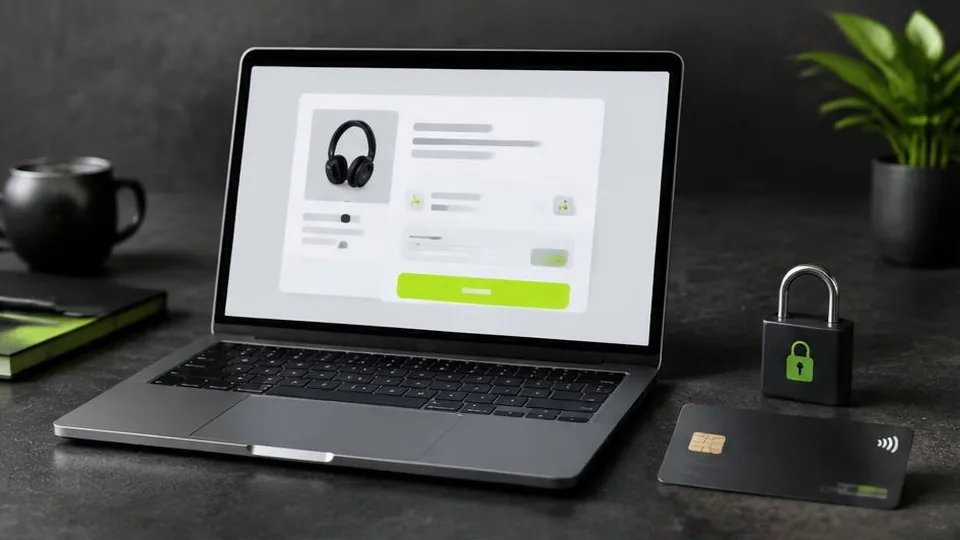
To accept online payments, you need a payment gateway — a secure service that connects your website's checkout to your customer's bank or card provider — along with a merchant account or built-in payment processing from your platform. Setting this up correctly means choosing the right gateway, enabling secure connections, and testing the full checkout flow before going live.
Understanding the Basics
When a customer enters their card or payment details on your site, that information needs to travel securely to a payment processor, get authorized by the customer's bank, and return a confirmation — all within seconds. The payment gateway handles this process so you don't have to build it yourself. Well-known providers include Stripe, PayPal, and platform-native options like Shopify Payments, alongside various regional gateways depending on where your business operates.
Choosing a Payment Gateway
A few factors should guide your choice:
- Regional support – not every gateway operates in every country, and local payment preferences (certain cards, digital wallets, or bank transfer methods) vary by market.
- Integration with your platform – if you're using Shopify, WooCommerce, or a custom-built site, check which gateways integrate cleanly without extra development work.
- Fees – gateways typically charge a percentage per transaction plus sometimes a fixed fee; compare these against your typical order value.
- Payout speed – how quickly funds reach your bank account can matter for cash flow, especially for newer businesses.
If you're building or redesigning a store, our ecommerce website design guide covers how checkout design interacts with payment choice.
Security Requirements
Accepting payments online comes with security obligations. At minimum, your website needs:
- A valid SSL certificate so all data is transmitted over HTTPS
- A gateway that is PCI-DSS compliant, meaning it meets industry standards for handling card data
- Avoiding storing raw card details on your own servers — reputable gateways handle this for you through tokenization
Most established gateways manage the technical compliance burden, but it's still worth confirming your website host and platform support secure checkout properly.
Setting Up the Gateway
The general process looks similar across providers:
- Create an account with your chosen payment gateway and complete their verification requirements.
- Connect the gateway to your website or ecommerce platform, usually through a plugin, app, or API integration.
- Configure the currencies and payment methods you want to support.
- Test transactions thoroughly, including failed payments and refunds, before launching publicly.
- Confirm how and when payouts are deposited into your business account.
For custom-built websites, this integration is usually handled as part of the development process rather than a plug-and-play app, so it's worth discussing early with whoever is building your site.
Offering More Than One Option
Many businesses find that offering a couple of payment methods — for example, card payments alongside a digital wallet, or an online option alongside cash on delivery where logistics allow — increases completed sales. Customers abandon checkouts when their preferred method isn't available, so understanding your audience's preferences is worth the extra setup effort.
Common Mistakes When Setting Up Payments
- Choosing a gateway based on brand recognition alone, without checking whether it actually supports your customers' region or preferred payment methods.
- Launching without testing refunds, only to discover during a real customer dispute that the process is unclear or broken.
- Ignoring currency settings, which can confuse customers if prices display in the wrong currency for their region.
- Adding too many payment options at once, which can clutter checkout rather than simplify it — a couple of well-chosen methods usually works better than a long list.
- Forgetting to update payment details on renewal, such as an expiring SSL certificate or an outdated API key, which can quietly break checkout without an obvious warning.
A Practical Example
A small business selling handmade goods might start with a single gateway supporting card payments. As they notice customers abandoning checkout, they review their analytics and discover many visitors are on mobile and prefer a digital wallet for faster checkout. Adding that one additional option, rather than a long list of payment types, often recovers a meaningful share of those abandoned sales without overcomplicating the page.
Questions to Ask Before Choosing a Gateway
- Which payment methods do your actual customers prefer, based on your market and audience?
- Does the gateway integrate directly with your platform, or will it require custom development?
- How quickly are funds deposited into your account, and does that match your cash flow needs?
- What happens, step by step, if a customer requests a refund or disputes a charge?
- Are the gateway's fees clearly disclosed, including any charges for currency conversion?
Pre-Launch Payment Checklist
- SSL certificate is active and verified
- Gateway account is fully verified, not just created
- Test transactions, including a failed payment and a refund, have been completed
- Supported currencies and payment methods match your customer base
- Payout schedule and bank details are confirmed
Handling Disputes and Chargebacks
Even with a secure setup, disputes and chargebacks happen occasionally. Most gateways provide a process for responding with evidence, such as proof of delivery or communication with the customer. Understanding this process before it's needed, rather than during a stressful dispute, makes handling it far smoother. It's also worth keeping clear records of orders and communications as a matter of routine, since this is exactly the kind of documentation a dispute resolution process typically requests.
Payments as Part of the Bigger Picture
A reliable payment setup is only one piece of a store that converts well. It needs to sit within thoughtful ecommerce website design, work on platforms that suit your business, and load quickly on every device. A checkout that is secure but slow or confusing will still lose sales.
Getting It Right From the Start
Payment setup is one of those details that's much easier to get right during the initial build than to retrofit later, especially for custom websites. If you're planning a new store or adding ecommerce to an existing site, our ecommerce services include guidance on gateway selection and integration suited to your market. A consultation is the best way to map out which payment approach fits your business and customers.
Frequently asked questions
What is a payment gateway?
A payment gateway is the service that securely processes card or digital payment details between your website, the customer's bank, and your business account.
Do I need an SSL certificate to accept payments?
Yes. A secure connection (HTTPS) is required for safely transmitting payment information and is typically mandatory for compliance with payment processor requirements.
Can I accept multiple payment methods?
Most gateways support cards and often digital wallets, and some support local payment methods or bank transfers, depending on your region and provider.
Is cash on delivery still relevant for online stores?
In some markets, offering cash on delivery alongside online payment increases conversions, especially for customers hesitant to pay online. It depends on your audience and logistics.
How do I know which gateway is right for my business?
It depends on your region, the platforms you integrate with, your typical transaction size, and the fees each provider charges. Comparing a few options against your specific needs is the best approach.
Related articles

E-Commerce Website Design: Essential Features for Success
Good ecommerce website design isn't about looking impressive — it's about making it effortless for visitors to find products and complete a purchase.
October 10, 2026
How Much Does a Shopify Website Cost?
Shopify pricing isn't just the monthly plan — theme, apps, payment fees, and design work all add up. Here's what actually drives the final cost.
October 10, 2026
How Much Does an E-Commerce Website Cost in 2026?
E-commerce website cost depends on far more than which platform you pick. Here are the real factors that determine your final investment.
October 10, 2026