Restaurant Website Design: Essential Features and Benefits
A restaurant's website is often the deciding factor between a diner choosing you or a competitor. Here's what it needs to get right.
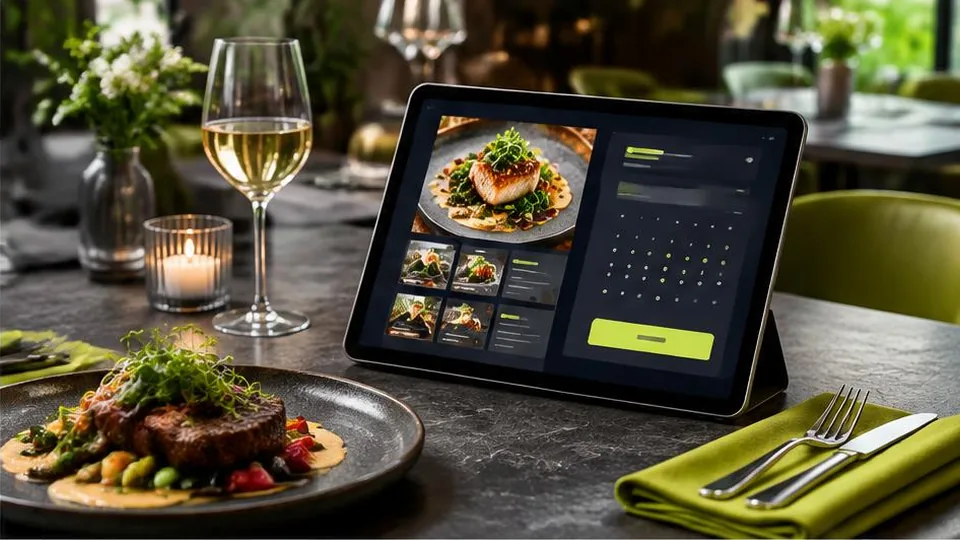
A restaurant website needs a visible menu, clear location and hours, strong food photography, and an easy way to reserve a table or order food — all optimized for visitors browsing on their phones while deciding where to eat right now. Get these right, and your website becomes one of your best sources of new diners.
Most people researching where to eat check a restaurant's website or Google listing before deciding, often while standing nearby or scrolling at home deciding where to go. If your site is slow, outdated, or missing basic information, you lose that decision before you even had a chance.
The menu page
Your menu should be built as an actual web page, not a PDF or an image. PDFs are hard to read on mobile, can't be indexed properly by Google, and are inconvenient to update when prices or dishes change. A proper menu page:
- Displays clearly on any device without needing to zoom or scroll sideways
- Can be updated quickly when dishes or prices change
- Lets Google show menu items directly in search results, helping with local discovery
- Allows you to highlight specials, dietary options, or chef recommendations
Food photography
Few industries depend on visuals as much as restaurants. High-quality photos of your dishes, interior, and atmosphere do more to convince a visitor than any description can. If you don't have professional photos yet, investing in a proper photo session before launching your website pays off — this is one area worth prioritizing even on a tighter overall budget.
Location, hours, and contact details
This sounds basic, but it's one of the most common gaps on restaurant websites. Make sure your address, a map, phone number, and current hours are easy to find on every page, not buried in a footer. Keep hours updated for holidays and special closures — nothing frustrates a hungry customer more than driving to a restaurant that's unexpectedly closed.
Reservations and ordering
- Reservation system: If you take bookings, an embedded reservation tool saves back-and-forth phone calls and reduces no-shows with automated reminders.
- Online ordering: For restaurants doing significant takeout or delivery, a direct ordering system on your own site can reduce dependency on third-party delivery apps and their commission fees.
- Simple contact options: Even without a full booking system, a clear phone number and contact form give customers an easy way to reach you.
Local SEO for restaurants
Your website should work alongside your Google Business Profile, not instead of it. Make sure your business name, address, and phone number match exactly across your website and all directory listings. Our guide on local SEO for small business covers this in more depth, and it matters especially for restaurants, where "restaurants near me" searches drive significant traffic.
Reviews and social proof
Linking to or displaying your reviews, along with photos from happy customers if you have permission to use them, builds trust quickly. Never fabricate reviews — real feedback, even if occasionally mixed, is far more persuasive than something that looks manufactured.
Design considerations specific to restaurants
- Fast load times matter more than usual, since hungry customers won't wait for a slow site to load.
- Mobile-first design is essential, as most restaurant searches happen on phones, often while people are already out.
- Visual hierarchy should lead to action — whether that's "View Menu," "Reserve a Table," or "Order Now," the next step should always be obvious.
- Keep navigation simple. Customers want menu, location, and contact — don't bury these under too many layers.
A practical launch checklist for restaurant websites
- Menu page displays correctly on mobile without zooming or horizontal scrolling
- Address, phone number, and hours match exactly across your website and Google Business Profile
- At least one clear action button (reserve, order, or call) is visible on every page
- Photos are recent, well-lit, and represent your actual dishes and space
- Reservation or ordering links are tested on both desktop and mobile before launch
- Site loads quickly even on a slower mobile connection
Common mistakes restaurant owners make online
- Uploading the menu as a photo or PDF instead of a proper web page, making it hard to read and impossible for Google to index.
- Letting hours go stale, especially around holidays, leading to frustrated customers who show up to a closed door.
- Using old or inconsistent photos that don't match the current menu or interior.
- Hiding the phone number or address below multiple scrolls instead of placing it prominently near the top.
- Ignoring the mobile experience entirely, even though most restaurant searches happen on phones.
A short example: two restaurants, two outcomes
Picture two restaurants a few blocks apart, both searched by the same hungry customer. The first has a slow-loading site with a blurry PDF menu and no visible phone number. The second has a fast, mobile-friendly site with a clear menu, recent photos, and a one-tap "Call Now" button. Even if both restaurants serve equally good food, the second is far more likely to get that customer's visit, simply because the website removed friction instead of adding it.
Questions to ask before building or updating your site
- Do we want to prioritize dine-in reservations, takeout, delivery, or a mix of all three?
- Is our current photography good enough, or do we need a fresh photo session?
- How often do our menu or prices change, and can we update the site easily ourselves?
- Do we want online ordering directly through our site to reduce delivery app fees?
Answering these honestly before development begins makes it much easier to scope a site that fits how your restaurant actually operates.
Getting started
Building a restaurant website well involves coordinating photography, menu content, and booking or ordering tools into a single, fast, mobile-friendly design. This is exactly the kind of project suited to a full web design service that understands how diners actually browse and decide. For a sense of what this typically costs and what drives the price, see our dedicated guide on restaurant website cost.
If you're ready to discuss your restaurant's website, contact us for a consultation, or browse our work to see examples of completed restaurant sites.
Frequently asked questions
Does a restaurant really need a website if it's on delivery apps?
Yes. Delivery apps take commissions and control the customer relationship, while your own website lets people find your menu, hours, and location directly, and builds a brand presence apps don't provide.
Should the menu be a PDF or a web page?
A web page is much better. PDFs are hard to read on phones, aren't searchable by Google, and can't be updated as easily as a proper menu page.
Do I need an online ordering system on my website?
It depends on your business model. If takeout or delivery is a significant part of your revenue, direct ordering reduces dependency on third-party apps and their fees.
How important are photos on a restaurant website?
Extremely important. Food photography is often the single biggest factor in convincing a visitor to choose your restaurant, so quality images matter more here than in most other industries.
Related articles
How Much Does a Restaurant Website Cost?
Restaurant website cost depends on far more than page count — menu complexity, photography, and ordering features all shape the final price.
October 10, 2026
What Pages Should Every Business Website Have?
Every business website needs a core set of pages to build trust and guide visitors to act. Here's the checklist and why each page earns its place.
October 10, 2026
Beauty Salon Website Design: How to Attract More Clients
A salon website's job is simple: show your work, make booking effortless, and build enough trust that a visitor picks up the phone or books online.
October 10, 2026