Beauty Salon Website Design: How to Attract More Clients
A salon website's job is simple: show your work, make booking effortless, and build enough trust that a visitor picks up the phone or books online.
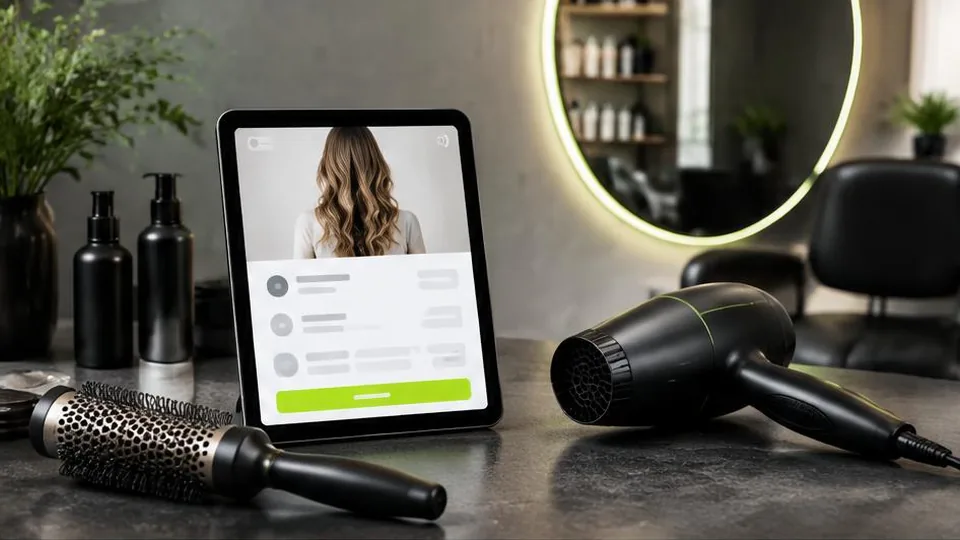
A beauty salon website should make it effortless for potential clients to see your work, understand your services and pricing, and book an appointment without needing to call during business hours. The salons that convert the most website visitors into clients are the ones that remove every bit of friction between browsing and booking.
Clients choosing a salon are often comparing several options at once, usually on their phones, often outside business hours. If your website doesn't clearly answer their questions or make booking easy, they'll move on to a competitor who does.
Online booking
This is the single highest-impact feature for most salons. An integrated booking system lets clients choose a service, pick an available time, and confirm instantly — no phone tag, no waiting for a callback. Even a simple booking widget embedded on your site can significantly reduce no-shows through automated reminders and make your business accessible around the clock.
Service and pricing pages
Clients want to know what you offer and roughly what it costs before committing to contact you. Clear service pages should include:
- A description of each treatment or service
- Duration, if relevant
- Starting prices or price ranges, which help filter out mismatched inquiries
- Any preparation or aftercare notes that matter
If your menu of services is extensive, grouping them logically (hair, nails, skin, etc.) with a clean structure makes navigation easier — our guide on business website pages has more detail on organizing content like this.
Portfolio and gallery
For a beauty salon, visuals often do more convincing than words. A well-organized gallery of your work — styled hair, nail art, skin treatment results, before-and-afters where appropriate — gives potential clients real confidence in your skill level. Keep this gallery updated regularly; stale photos from years ago can undercut an otherwise strong impression.
Staff profiles
If your salon has multiple stylists or therapists, individual profiles help clients choose who to book with, especially returning clients with a preferred specialist. A short bio, specialties, and sometimes a personal booking link work well here.
Reviews and testimonials
Genuine client reviews, whether pulled from your Google Business Profile or collected directly, build trust quickly. Avoid writing fake testimonials — real feedback, even imperfect, carries far more weight with potential clients than anything invented.
Mobile design
Most salon searches and bookings happen on mobile devices, often while someone is already out and about or scrolling in a spare moment. Your site needs to load quickly, display galleries cleanly on small screens, and make the booking button impossible to miss.
Local SEO for salons
Showing up in "salon near me" searches matters enormously for a local business like this. Keep your business name, address, and phone number consistent across your website and your Google Business Profile, and consider our guide on local SEO for small business for more detail on improving local visibility.
Branding that reflects your salon's style
Your website's visual style should match the atmosphere of your actual salon — modern and minimal, warm and classic, bold and colorful, whatever fits your brand. If your branding isn't fully developed yet, coordinating with logo design and brand book services alongside your website ensures everything feels consistent.
A pre-launch checklist for salon websites
- Booking button is visible on every page, not just the homepage
- Services are grouped clearly with starting prices or price ranges listed
- Gallery includes recent, high-quality photos representing current work
- Staff profiles are up to date if stylists or therapists have changed
- Business name, address, and phone number match your Google Business Profile exactly
- Site loads quickly and displays cleanly on a phone screen
Common mistakes salons make with their websites
- Relying only on phone bookings even after launching a website, which defeats the purpose of offering online booking at all.
- Leaving outdated photos online from years ago that no longer reflect current styles or the salon's actual space.
- Omitting pricing entirely, which often increases inquiries from clients who turn out to be outside your price range.
- Forgetting to remove former staff members from the website after they've left, confusing returning clients.
- Overloading the homepage with text instead of leading with strong visuals and a clear booking call to action.
A short example: comparing two booking experiences
One salon requires a potential client to call during business hours, wait for an answer, and describe what they want over the phone. Another lets the same client browse services, see pricing, pick a time, and confirm a booking from their phone at 9pm while deciding. The second salon captures that client; the first risks losing them to a competitor who made booking easier. This single difference is often the biggest factor separating salons that fill their calendars from those that don't.
Questions to ask before building your salon's site
- Which services generate the most bookings, and should they be featured most prominently?
- Do we want clients to book with a specific stylist, or just a general time slot?
- How often do we update our portfolio, and who is responsible for that?
- Should pricing be exact, or shown as a starting range for each service?
Working through these questions early makes it much easier for a designer to structure a site that fits how your salon actually operates day to day.
Matching your website to how clients actually book
Think through the realistic booking journey for your clients: do they usually know exactly which service and stylist they want, or do they need guidance first? A salon with loyal repeat clients may benefit from fast, one-click rebooking for a preferred stylist, while a salon attracting mostly new clients may need more descriptive service pages before anyone feels ready to commit. Designing the booking flow around your actual client base, rather than copying a generic template, tends to produce noticeably better results.
Getting started
Designing a salon website that actually converts visitors into booked appointments takes more than a nice template — it requires thinking through the booking flow, organizing services clearly, and presenting your work in the best light. Our web design service handles exactly this kind of project from planning through launch.
If you're ready to build or improve your salon's website, contact us for a consultation, or browse our work to see examples of beauty and wellness websites we've built.
Frequently asked questions
Do I need online booking on my salon website?
It's strongly recommended. Clients increasingly expect to book appointments at any hour without calling, and online booking reduces missed calls and scheduling back-and-forth.
How many photos should a salon website have?
Enough to clearly show the range and quality of your work — typically a dedicated gallery with before-and-after examples and photos of your space, updated periodically as your portfolio grows.
Should I list my prices on my salon website?
Many salons benefit from at least showing starting prices or price ranges for popular services, since this sets expectations and reduces inquiries from clients outside your budget range.
Can I list each stylist or therapist individually?
Yes, individual staff profiles with their specialties and sometimes their own booking links help returning clients book with their preferred person directly.
Related articles
Barbershop Website Design: How to Increase Online Bookings
A barbershop website should get a client from 'looking for a haircut' to 'booked an appointment' in under a minute. Here's how to build that.
October 10, 2026
Restaurant Website Design: Essential Features and Benefits
A restaurant's website is often the deciding factor between a diner choosing you or a competitor. Here's what it needs to get right.
October 10, 2026
What Pages Should Every Business Website Have?
Every business website needs a core set of pages to build trust and guide visitors to act. Here's the checklist and why each page earns its place.
October 10, 2026