Real Estate Website Design: Essential Features for Agents
A real estate website needs to do more than list properties — it needs to capture leads, build agent trust, and make searching effortless.
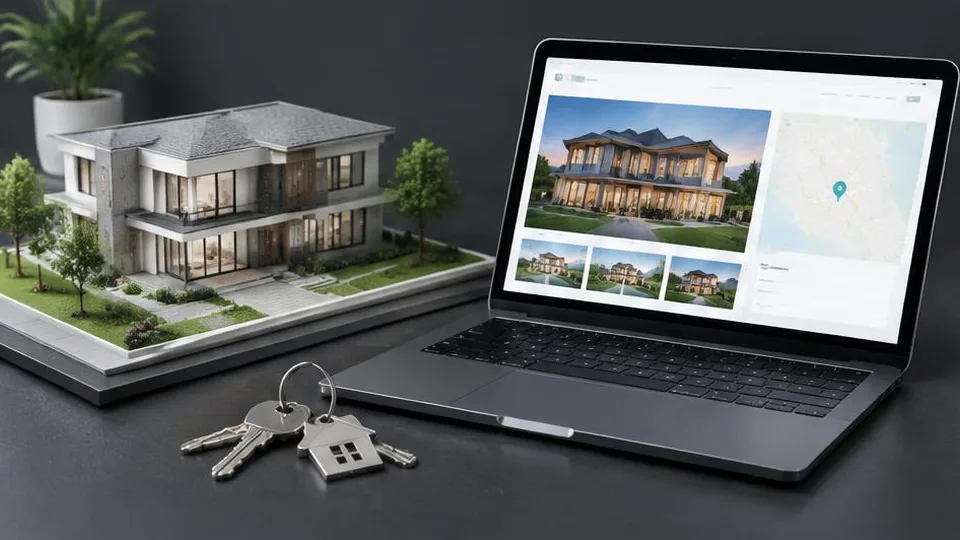
A real estate website needs clear, searchable property listings, an easy way for visitors to contact an agent about a specific property, and a design that builds trust in the agent or agency behind it. Without these, even a large inventory of listings won't generate the inquiries a good site should.
Buyers and sellers increasingly start their search online, often browsing dozens of listings across multiple sites before ever speaking to an agent. Your website is competing for attention in that process, and small details — slow load times, confusing navigation, missing photos — can push a potential client toward a competitor.
Property listings that are easy to browse
Each property should have its own dedicated page with:
- High-quality photos, ideally multiple angles of each room and the exterior
- Clear pricing, square footage, bedrooms, bathrooms, and key features
- A map showing the location and nearby points of interest
- A straightforward way to inquire or schedule a viewing directly from that page
If you manage more than a handful of properties, search and filter functionality — by price range, location, property type, and size — becomes essential. Without it, visitors give up scrolling through long, unfiltered lists.
Lead capture built into the experience
Unlike many other local businesses, real estate relies heavily on capturing contact information early, since the buying or selling process often takes weeks or months. Effective lead capture includes:
- Contact forms on every listing page, not just a general contact page
- A way to save or favorite listings, which often requires an email to use
- Clear calls to action like "Schedule a Viewing" or "Request More Information"
- Optional tools like mortgage calculators, which keep visitors engaged longer on your site
Agent and agency profiles
Real estate is fundamentally relationship-driven, so a strong agent profile matters more here than in many other industries. Include a professional photo, years of experience, areas of specialty, and if possible, genuine client testimonials. Never fabricate reviews or results — authentic feedback builds far more credibility than anything invented.
Local market content
Buyers and sellers often search for neighborhood information, market trends, and buying or selling guides before they're ready to contact an agent. Content addressing these questions — written honestly and without invented statistics — can bring in visitors earlier in their decision process and position you as the local expert they eventually contact. This connects closely with local SEO for small business, since location-specific content is central to ranking for real estate searches in your area.
Mobile experience
Many buyers browse listings on their phones while out and about, sometimes even while physically near a property they're curious about. Photos need to load quickly and display well on smaller screens, and contact buttons should be easy to tap without zooming in.
Organizing a larger site
Real estate websites often need more structure than a typical small business site — listings, search, individual property pages, agent profiles, neighborhood guides, and contact all need clear navigation. Our guide on business website pages covers general principles, though real estate sites typically need more pages than most small businesses due to the volume of listings involved.
Keeping listings current
An outdated listing — a property that's already sold, or pricing that's no longer accurate — damages trust quickly. If your site will have frequent listing changes, make sure the platform makes updates simple, either through training to do it yourself or an ongoing support arrangement with your developer.
A launch checklist for real estate websites
- Every listing has its own page with photos, price, and key details
- Contact or inquiry forms appear on each listing page, not only a general contact page
- Search and filter tools work correctly across devices
- Sold or unavailable properties are removed or clearly marked promptly
- Agent profiles include a professional photo and clear contact information
- Site loads quickly even with many high-resolution property photos
Common mistakes in real estate website design
- Letting sold listings linger on the site, which frustrates visitors and damages trust once they realize the information is outdated.
- Relying only on a general contact page instead of placing inquiry options directly on each listing.
- Skipping search and filter tools once the number of listings grows beyond a handful, forcing visitors to scroll through everything manually.
- Using low-quality or inconsistent photography across listings, which undercuts an otherwise strong property.
- Neglecting the agent profile, treating it as an afterthought when it's often what convinces a visitor to reach out to a specific person rather than a competitor.
A short example: two listing pages
One listing page shows a handful of blurry photos, a price, and no way to contact the agent except through a separate page. Another shows a full photo gallery, a map, clear details, and a prominent "Request Information" button right on the page. The second listing captures interest at the exact moment a visitor is engaged, while the first loses that visitor to the extra step of hunting down contact details elsewhere.
Questions to ask before building your real estate website
- How many active listings do we typically have at once, and how often do they change?
- Do we need search and filter tools now, or can we add them as our listing volume grows?
- Should each agent have an individual profile and contact form, or should all inquiries route through one central contact?
- Do we want to include local market content, such as neighborhood guides, to attract early-stage buyers and sellers?
Clear answers to these questions help determine how much structure your site actually needs from day one versus what can be added as your listings grow.
Getting started
Building a real estate website that actually converts browsing into inquiries requires careful planning around listings, lead capture, and trust-building content. Whether you're starting fresh or improving an existing site through a website redesign, our web design service can help structure a site around how buyers and sellers actually search.
If you're ready to discuss your real estate website, contact us for a consultation, or browse our work to see examples of completed projects.
Frequently asked questions
Do I need property search filters on my real estate website?
If you list more than a handful of properties, search filters by price, location, type, and size make a major difference in how easily visitors find relevant listings instead of leaving in frustration.
Should I list properties on my own website if I already use major listing portals?
Yes, your own website lets you capture leads directly without competing with other agents on the same page, which listing portals don't offer.
How important is my agent profile on the website?
Very important. Real estate is a relationship-driven business, and a strong, personal agent profile builds the trust that gets a potential client to reach out to you specifically.
Do I need a blog on my real estate website?
A blog isn't essential, but local market updates and buying or selling guides can help with search visibility and position you as a knowledgeable local expert.
Related articles

Beauty Salon Website Design: How to Attract More Clients
A salon website's job is simple: show your work, make booking effortless, and build enough trust that a visitor picks up the phone or books online.
October 10, 2026
What Pages Should Every Business Website Have?
Every business website needs a core set of pages to build trust and guide visitors to act. Here's the checklist and why each page earns its place.
October 10, 2026
Website Redesign: When and Why Your Business Needs It
A website redesign is more than a new look — it's a chance to fix what's quietly costing you customers. Here's how to know it's time.
October 10, 2026