Flower Shop Website Design: How to Sell Flowers Online
Flowers are an emotional, time-sensitive purchase. A flower shop website needs to sell on beauty and make ordering fast enough for last-minute buyers.
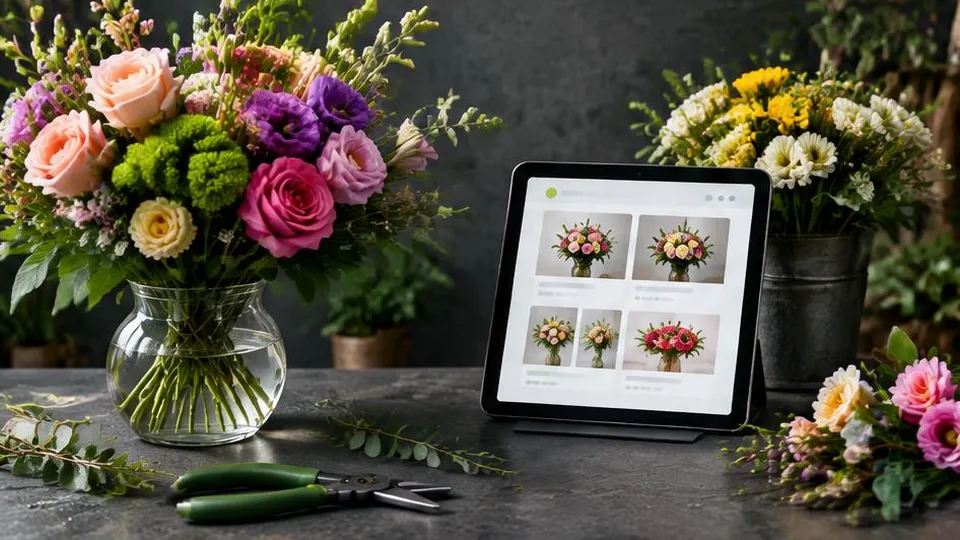
Flowers are bought on emotion and often under time pressure, which makes flower shop website design different from most other online stores. The website has to sell the feeling of the arrangement in a photo, and then make it fast enough to order that a customer buying a last-minute anniversary bouquet does not give up and call a competitor.
Lead with photography, not description
A beautiful bouquet photographed poorly will not sell. Before anything else, invest in clear, well-lit photos of your actual arrangements, ideally shot consistently (similar background, similar angle) so your shop page looks cohesive rather than a mix of random snapshots. If a customer cannot picture it in front of them or at the recipient's door, they will not buy it.
Each product page should show:
- Multiple photos, including size reference where helpful
- A short, honest description — size, approximate flower types, vase inclusion
- Clear pricing, with any size or add-on options
- Delivery availability for that specific item
Make occasions easy to shop
Most flower purchases are tied to an occasion: birthdays, sympathy, anniversaries, "just because," corporate gifting. Structuring your online store around occasions, rather than only flower type, matches how customers actually think and search. A visitor who searches "sympathy flowers delivery" wants a dedicated, clearly labeled category, not a generic flower grid they have to filter themselves.
Delivery information has to be upfront
Flowers are time-sensitive. Vague delivery promises lose sales and create frustrated customers. Your site should clearly show:
- Delivery area and whether you deliver same-day
- Order cutoff times for same-day or next-day delivery
- Delivery fees, ideally calculated before checkout rather than as a surprise
- Options for a specific delivery date and, if relevant, time window
Putting this information directly on product pages, not buried in a separate policy page, reduces abandoned carts and support questions.
Checkout needs to be fast
A customer buying flowers for an event happening in two hours will not tolerate a slow or confusing checkout. Keep the path from "add to cart" to "order confirmed" as short as possible: minimal required fields, guest checkout without forcing an account, and support for fast payment methods like digital wallets in addition to cards. If you are deciding how to accept online payments on your website, prioritize options that support quick, mobile-friendly checkout.
Gift messages and recipient details
Unlike most e-commerce, a large share of flower orders are sent to someone other than the buyer. The checkout flow should clearly separate billing information from the recipient's delivery address and include a simple field for a gift message. This is a small detail that, if missing or clunky, creates real friction at the exact moment a customer is ready to buy.
Seasonal and occasion-based merchandising
Flower sales spike hard around specific dates — holidays, Mother's Day, Valentine's Day, graduation season. A site that is easy to update with seasonal collections, banners, and featured arrangements will capture more of that demand than a static catalog. Planning this flexibility into your e-commerce build from the start saves a lot of scrambling later.
Local SEO still matters
Most flower shop searches are local and urgent: "flower delivery near me," "same day flowers [city]." Make sure your shop's name, address, delivery area, and phone number are clear and consistent across your site, and keep your Google Business Profile active with current hours and photos.
Common mistakes to avoid
- Relying on stock photography instead of real arrangement photos
- Hiding delivery fees or cutoff times until checkout
- Overcomplicated checkout that discourages last-minute, high-urgency orders
- No clear way to separate recipient details from the buyer's billing information
- Not updating the site for seasonal demand spikes
Questions to ask before you build or rebuild
- How many of our current orders come in by phone versus walk-in, and could an online option capture more of that volume?
- Do we need recurring or subscription orders, or is every order one-off?
- How will we photograph new arrangements consistently as our catalog changes with the seasons?
- What happens on our highest-volume days, like Valentine's Day, if order volume spikes well beyond normal?
A simple pre-launch checklist
- Every product has real photos, not stock images
- Delivery cutoff times and fees are visible on the product page, not just a policy page
- Checkout supports a separate recipient address and a gift message field
- Mobile checkout has been tested end to end on an actual phone
- Seasonal collections or banners can be updated without developer help
Example: handling a sympathy order correctly
A customer searching for same-day sympathy flowers is usually under emotional stress and time pressure. A site that makes them dig through a general catalog, guess at delivery timing, and fill out a long form is likely to lose that order. Compare that to a dedicated sympathy category with same-day availability clearly marked, a short form, and an easy way to add a card message. The difference in conversion between those two experiences is almost always significant, and it comes down to planning the journey around the occasion rather than the product alone.
Common pricing and presentation decisions
Deciding whether to show set arrangements with fixed prices, or a "starting at" price with customization options, affects both your checkout complexity and your average order value. Either approach can work, but it should be a deliberate decision made with your ecommerce partner rather than whatever the platform defaults to.
Building a flower shop site that sells
If you are starting from scratch, think through the full customer journey first: someone searching, browsing arrangements, choosing an occasion, and completing checkout under time pressure. A well-planned online store built around that journey, with strong photography and clear delivery information, will consistently outperform a generic template store. If you already sell flowers but take most orders by phone, moving more of that volume online — even gradually — tends to capture orders you are currently missing outside business hours.
Frequently asked questions
Do I need a full online store, or can I just take orders by phone with a simple website?
It depends on your customer base, but most flower shops see more orders once online checkout is available, especially for gifts, sympathy arrangements, and last-minute orders placed outside business hours.
How important is photography for a flower shop website?
Extremely important. Flowers are a visual, emotional purchase, and photos often matter more than the written description. Clear, well-lit photos of your actual arrangements outperform generic stock images.
Should I show same-day delivery cutoff times on every product page?
Yes. Customers ordering flowers are frequently buying for same-day occasions, and an unclear cutoff time leads to abandoned orders or disappointed customers who assumed delivery was guaranteed.
Can I sell subscriptions or recurring flower deliveries online?
Many e-commerce platforms support recurring orders or subscriptions, which can work well for office accounts or regular personal deliveries. It adds complexity, so it is worth planning for during the build rather than bolting on later.
What payment options should a flower shop website accept?
At minimum, major cards and a digital wallet option like Apple Pay or Google Pay. Faster checkout matters especially for mobile users buying last-minute gifts.
Related articles

E-Commerce Website Design: Essential Features for Success
Good ecommerce website design isn't about looking impressive — it's about making it effortless for visitors to find products and complete a purchase.
October 10, 2026
How to Build an Online Store for Your Small Business
Building an online store involves more than picking a platform. Here is the realistic order of decisions that gets a small business store launched right.
October 10, 2026
How to Accept Online Payments on Your Website
Accepting online payments starts with choosing the right gateway for your business and customers, then integrating it securely into your website.
October 10, 2026