Dental Clinic Website Design: How to Attract New Patients
A dental practice website needs to do more than look clean; it needs to turn anxious searchers into booked appointments. Here is what actually matters.
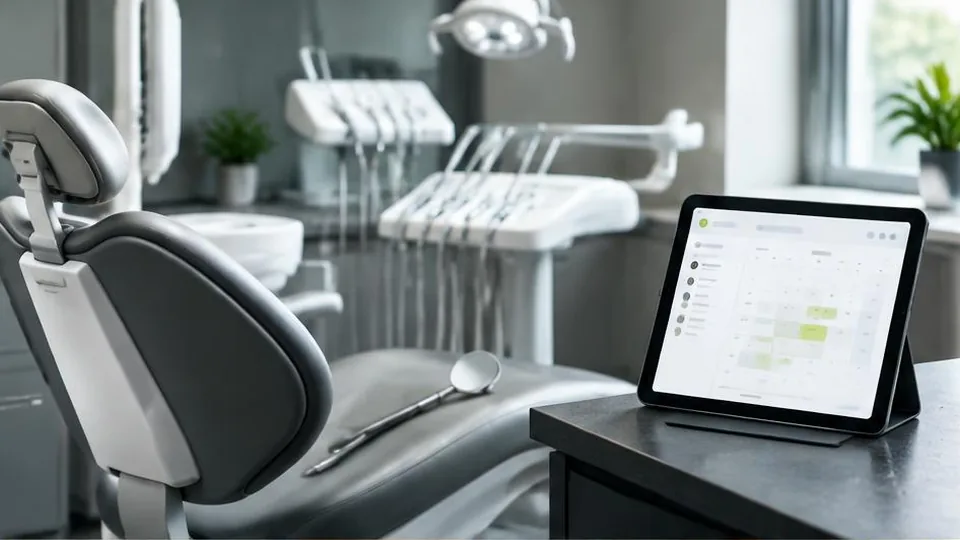
Most people choose a dentist the way they choose a restaurant: they search, they skim two or three websites in under a minute, and they pick the one that feels most trustworthy and easiest to book. A dental clinic website design has one real job beyond looking professional — it has to turn a nervous, busy visitor into a confirmed appointment.
Start with the patient's state of mind
Many visitors land on a dental site because they are in pain, worried about cost, or putting off a visit they have avoided for years. The design should lower anxiety rather than add to it. That means:
- A calm, uncluttered layout rather than a wall of clinical text
- Clear, friendly photography of the real team and the real office, not generic stock images of unrelated people
- Plain-language descriptions of procedures instead of dense dental terminology
- Visible reassurance: sedation options, payment plans, insurance accepted, how gentle the practice is with nervous patients
The features that actually drive bookings
A nice homepage is not enough. The pages and features below are what separate a dental website that generates calls from one that just sits online.
Online appointment requests
A short, simple form (name, phone, preferred day/time, reason for visit) removes the biggest barrier: picking up the phone during work hours. Pair it with a visible phone number and, where possible, click-to-call on mobile.
A clear services structure
List your treatments in groups patients actually search for: general dentistry, cosmetic dentistry, orthodontics, emergency care, pediatric dentistry. Each group should have enough content to explain what it includes, roughly how it works, and what to expect — this also helps the site rank for more specific searches.
Insurance and new patient information
A dedicated page explaining accepted insurance plans, new patient forms, and what to bring to a first visit removes friction and sets expectations before anyone walks in.
Team and credentials
Patients want to know who will be treating them. Short bios with photos, qualifications, and a friendly tone build more trust than a long list of certifications alone.
Reviews and testimonials
Genuine patient reviews, pulled from Google or displayed with permission, matter more in healthcare than almost any other industry. Feature a handful prominently rather than burying them on a separate page.
Emergency contact information
A visible "Dental Emergency?" banner or page with a direct phone number can be the deciding factor for someone searching in pain, right now, for same-day care.
Mobile experience is not optional
A large share of dental searches happen on a phone, often while someone is in discomfort and wants an answer fast. Buttons need to be large enough to tap, the phone number needs to be clickable, and the page needs to load quickly on a mobile connection. If your current site is slow or hard to use on a phone, a website redesign focused on mobile usability is usually worth prioritizing before anything else.
Local SEO matters as much as design
Most dental searches are local: "dentist near me," "emergency dentist [city]," "pediatric dentist [neighborhood]." Your website supports this by having your clinic's name, address, and phone number consistent on every page, a dedicated location page if you have more than one branch, and content that naturally mentions the areas you serve. Pairing this with a complete, regularly updated Google Business Profile and a broader local SEO effort compounds the results.
Design choices that build trust fast
Color and typography choices in healthcare should lean toward calm, clean, and modern rather than overly playful or overly clinical. Whites, soft blues and greens are common for a reason: they read as clean and professional without feeling cold. Avoid dense walls of text and overly technical language on pages meant for patients rather than other dentists.
Common mistakes to avoid
- No visible phone number or booking option above the fold
- Treatment pages that are thin or copied from a template with no real detail
- Stock photography that does not match the real clinic, which patients notice
- Ignoring mobile speed and usability
- No clear path for new patients to understand insurance, cost, or what a first visit involves
Questions to ask before you build or rebuild
- Which treatments generate the most patient interest, and do they each have enough real content?
- Do we want online appointment requests, full self-service booking, or both?
- How will before-and-after photos be collected and used, with proper patient consent?
- Who updates insurance information and new patient forms when they change?
A simple pre-launch checklist
- Phone number and appointment request are visible without scrolling on mobile
- Every dentist has a real photo and a short, approachable bio
- Insurance and new patient information is easy to find within two clicks
- Emergency contact information is clearly marked, not buried in a footer
- Site has been tested for speed and usability on an actual phone, not just a desktop
Example: a patient in pain searching at night
Someone searching "emergency dentist near me" at 9pm is not browsing casually. If your site makes them hunt for a phone number or does not mention emergency availability at all, they move to the next result. A clearly marked emergency page or banner, with a direct number and honest information about after-hours availability, can be the single highest-impact addition to an existing dental site.
A common mistake worth avoiding
Many dental sites list treatments with a single line of text per service, which does little to reassure a nervous patient or help the page rank for specific searches. Expanding even your most common services, like general cleanings or whitening, with a few sentences on what to expect and how long it takes, improves both patient confidence and search visibility, and pairs well with an ongoing digital marketing effort.
Getting started
If you are building a new site or improving an existing one, start by mapping out the patient journey: how someone finds you, what questions they have, and what would make them comfortable enough to book. From there, a focused web design project, built around real patient needs rather than a generic template, tends to outperform a site built purely to "look nice." If you already have a site that looks dated or converts poorly, a website redesign can often be done in stages without disrupting your current patient flow.
A well-designed dental website is not about trends — it is about making it easy, fast, and reassuring for someone to go from searching to booked. Get that right and the rest of your marketing works much harder.
Frequently asked questions
Do I need online booking on my dental website?
It is one of the strongest conversion tools available. Even a simple request-an-appointment form that syncs with your front desk reduces the friction of picking up the phone, especially for younger patients who prefer not to call.
How many pages does a dental clinic website need?
Most clinics do well with a home page, a services page (or one page per major treatment), an about/team page, patient information (insurance, forms), and a contact page with map and hours. More pages help with search visibility but only if each one has real content.
Should each dentist have their own bio page?
Yes, if your team has more than one or two dentists. Patients often choose a dentist, not just a clinic, and a dedicated bio with qualifications and photo builds trust before the first visit.
How important are before-and-after photos?
Very important for cosmetic and orthodontic services, as long as you have proper patient consent. They do more to convince a hesitant visitor than paragraphs of text.
Can my dental website help with local search rankings?
A well-structured site with your clinic name, address and phone number consistent across every page, combined with a connected Google Business Profile, is one of the biggest factors in showing up for local searches.
Related articles

Medical Clinic Website Design: Features Every Clinic Needs
Medical clinic websites carry extra responsibility: patients need information fast, and the site needs to handle their data with care. Here is what to include.
October 10, 2026
Local SEO for Small Businesses: How to Attract Nearby Customers
If your customers come from a specific area, local SEO is how you show up when they search. Here's how it works and where to start.
October 10, 2026
How to Improve Your Website's Conversion Rate
Traffic alone doesn't grow a business — conversions do. Here's a practical breakdown of how to improve your website's conversion rate.
October 10, 2026