How to Get Your Website on Google Search
Getting your website on Google starts with letting Google find and index it, then building the signals that help it actually rank for relevant searches.
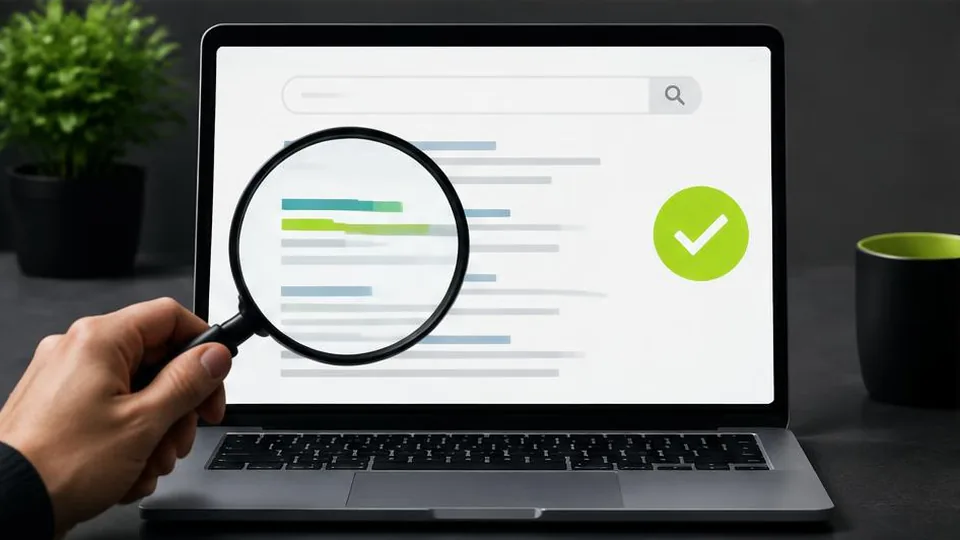
Getting your website on Google involves two separate steps: making sure Google can find and index your pages, and then building the content and signals that help those pages rank for relevant searches. Simply having a live website isn't enough — you need to actively help search engines discover it.
Step 1: Make Sure Google Can Find Your Site
Google discovers websites by crawling links across the web, but you shouldn't rely on that happening automatically. The most direct way to speed this up is through Google Search Console, a free tool where you can:
- Verify ownership of your website
- Submit an XML sitemap listing your pages
- Request indexing for specific URLs
- Monitor which pages are indexed and which have issues
Setting up Search Console early, ideally right when your site launches, gives you visibility into how Google is treating your site rather than guessing.
Step 2: Check for Technical Barriers
Sometimes a website is accidentally blocking Google from indexing it. Common culprits include:
- A "robots.txt" file disallowing crawlers
- A "noindex" tag left on pages from a staging or development version
- Broken internal links preventing Google from reaching certain pages
- Extremely slow page load times that cause crawling issues
If you suspect your site isn't appearing despite being live, our article on why your website isn't showing up on Google covers these issues in more depth.
Step 3: Build Pages Worth Indexing
Google indexes pages, but ranking them well for useful searches depends on content quality and relevance. Each important page on your site should:
- Target a clear topic or question your customers actually search for
- Include that topic naturally in the page title, headings, and body text
- Provide genuinely useful information, not just a sales pitch
- Be organized with proper heading structure so both readers and search engines understand it
This is where a thoughtful website SEO checklist becomes useful — treating SEO as an ongoing practice rather than a one-time setup.
Step 4: Strengthen Your Site's Credibility
Google also considers signals beyond your own pages, such as other reputable sites linking to yours, consistent business information across directories, and an active Google Business Profile for location-based businesses. These signals build over time, so they matter more for sustained ranking than for initial indexing.
Local businesses in particular benefit from ensuring their name, address, and phone number are consistent across their website, Google Business Profile, and any directory listings, since inconsistencies can confuse both search engines and potential customers.
Step 5: Keep the Technical Foundation Solid
A fast, mobile-friendly, well-structured website gives Google fewer reasons to rank you lower. Our guide on speeding up a website covers practical fixes, and it's worth revisiting periodically as your site grows with new pages and content.
Sites built without SEO in mind from the start — missing title tags, poor heading structure, bloated images — often need retrofitting later. If you're planning a website redesign, it's a good opportunity to fix these foundational issues at the same time.
Common Mistakes That Delay Indexing
- Leaving a "noindex" tag on after launch, often left over from a staging or development version of the site.
- Never submitting a sitemap, relying entirely on Google to discover pages through links alone.
- Publishing thin pages with little unique content, expecting them to rank simply because they exist.
- Ignoring Search Console warnings, which often flag indexing problems well before they become obvious through lost traffic.
- Changing URLs during a redesign without redirects, which can cause previously indexed pages to disappear from search results.
A Practical Example
A small clinic launches a new website but forgets to update their old "coming soon" page's settings, which had a noindex tag applied during development. Weeks pass with no visibility on Google, despite the site looking complete. A quick check in Search Console reveals the leftover tag, and once removed, the site is indexed within days. This kind of oversight is common and usually easy to fix once identified, which is why checking Search Console early is worth the few minutes it takes.
Questions to Ask About Your Own Website
- Has your sitemap actually been submitted to Search Console, not just created?
- Are your most important pages (homepage, key services, contact) free of indexing blocks?
- Does each key page target a specific topic your customers search for, rather than general language about your business?
- Is your Google Business Profile claimed and consistent with your website, if you serve local customers?
- Would a new visitor find your mobile site as easy to use as your desktop site?
Launch and Indexing Checklist
- Google Search Console is verified and an XML sitemap is submitted
- No pages are blocked by robots.txt or a leftover noindex tag
- Key pages have unique titles, headings, and genuinely useful content
- Google Business Profile is complete, for location-based businesses
- Site loads quickly and works well on mobile
Tracking Progress Over Time
Once your site is indexed, it helps to track a few simple metrics monthly rather than checking daily out of anxiety: how many pages are indexed, which queries are bringing visitors, and whether click-through rates are improving. Search Console provides all of this for free, and reviewing it on a steady schedule makes it much easier to notice genuine progress versus normal short-term fluctuation.
Patience and Consistency
Appearing on Google isn't usually instant, and ranking well for competitive terms takes sustained effort rather than a single setup task. New websites especially need time to build the signals that establish credibility. Checking Search Console regularly, publishing useful content, and fixing technical issues as they arise is a more realistic approach than expecting immediate results.
Getting Help With the Technical Side
If your website was built without attention to these fundamentals, or you're not sure where it currently stands, a review of your site's structure and indexing status is a useful starting point. Our web design and digital marketing services include this kind of groundwork. Feel free to reach out for a consultation if you'd like a second opinion on your site's visibility, or see our SEO guide for small businesses for a broader view of ongoing SEO practice.
Frequently asked questions
How long does it take for a new website to appear on Google?
It can take anywhere from a few days to several weeks, depending on how quickly Google crawls your site and how many signals (links, content, submissions) point to it.
Do I have to pay Google to appear in search results?
No, appearing in standard (organic) search results is free. Paid ads appear separately and are a different system from organic indexing.
What is Google Search Console used for?
It's a free tool that lets you submit your sitemap, monitor indexing status, see which search queries bring visitors, and fix crawling errors.
Does my website need a sitemap?
A sitemap helps Google discover your pages more efficiently, especially on larger sites, so it's a recommended step even though Google can sometimes find pages without one.
Will my website show up immediately after I submit it?
Submission tells Google your site exists, but indexing and ranking take time and depend on content quality, site structure, and other factors.
Related articles

Why Is My Website Not Showing Up on Google?
If your website isn't showing up on Google, the cause is usually one of a few common issues — indexing blocks, technical errors, or weak content signals.
October 10, 2026
SEO for Small Business Websites: Complete Guide
SEO for small business websites doesn't require a huge budget — it requires focusing on the right fundamentals consistently over time.
October 10, 2026
Website SEO Checklist: How to Optimize Your Business Website
This website SEO checklist breaks optimization into on-page, technical, and local factors so you can work through it systematically.
October 10, 2026